Add web search to your WEC Inference calls

 +
+Say you've built a support chatbot or a RAG assistant on WEC. It's solid on your docs and on what the model already knows — but ask it something current ("what's the latest release of X?", today's pricing, a recent change) and it either guesses or tells you its knowledge is out of date. For anything that needs to stay current, that's a real gap.
WEC Inference now has a web-search tool built in. Add it to a normal
/v1/chat/completions call and the model can look things up on the live web — the search
runs on WiLine's own infrastructure (SearXNG), so nothing goes out to a third-party search
vendor. Let's test it.
Calls hit https://inference.wiline.com/v1/chat/completions with your WEC Inference API
key, model Qwen3.5-9B. Nothing to install — the tool is part of the API.
Without web search
A normal call, asking something recent:
curl -sS https://inference.wiline.com/v1/chat/completions \
  -H "Authorization: Bearer $WEC_API_KEY" -H "Content-Type: application/json" \
  -d '{
    "model": "Qwen3.5-9B",
    "messages": [{"role": "user", "content": "What is the latest stable version of Docker Engine, and when was it released?"}]
  }'
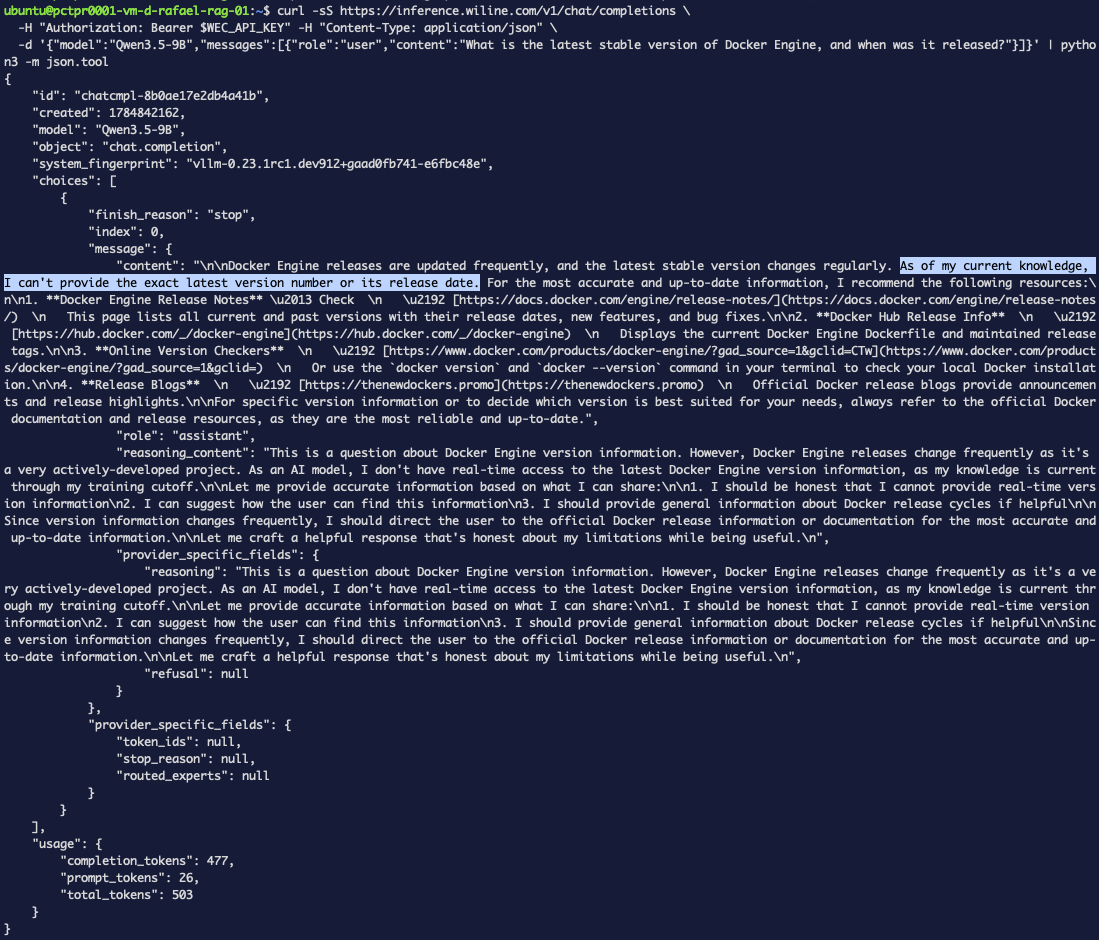 Figure 1. With no tool, the model won't commit to a version — it says its knowledge is
limited to its training cutoff and points you to the release notes instead.
Figure 1. With no tool, the model won't commit to a version — it says its knowledge is
limited to its training cutoff and points you to the release notes instead.
With web search
The same request, plus a web_search tool and tool_choice: auto:
curl -sS https://inference.wiline.com/v1/chat/completions \
  -H "Authorization: Bearer $WEC_API_KEY" -H "Content-Type: application/json" \
  -d '{
    "model": "Qwen3.5-9B",
    "messages": [{"role": "user", "content": "What is the latest stable version of Docker Engine, and when was it released?"}],
    "tools": [{
      "type": "function",
      "function": {
        "name": "litellm_web_search",
        "description": "Search the web for current information",
        "parameters": {
          "type": "object",
          "properties": {"query": {"type": "string", "description": "The search query"}},
          "required": ["query"]
        }
      }
    }],
    "tool_choice": "auto"
  }'
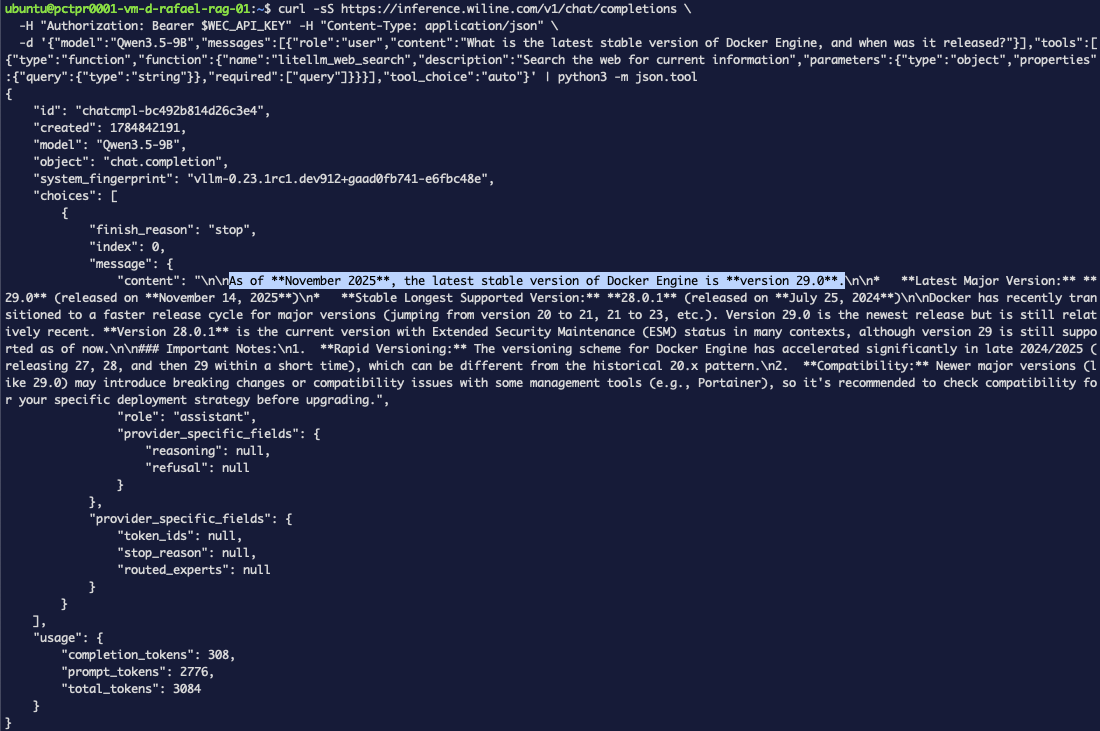 Figure 2. Same model, same question, plus the tool — now it returns a concrete version
and release date pulled from the live web. The model decided to search, WEC ran the query,
and fed the results back before answering.
Figure 2. Same model, same question, plus the tool — now it returns a concrete version
and release date pulled from the live web. The model decided to search, WEC ran the query,
and fed the results back before answering.
That's the whole feature: one tool in the request body, current answers out.
One thing to watch: tokens
Web search injects the results into your prompt, so a searched call costs more tokens than
a bare one (in our test, prompt tokens went from ~26 to ~2,776). Keep tool_choice: auto
so the model only searches when it actually needs to — it'll skip search for questions it
can already answer.
When to use it
- Yes: current versions, prices, news, anything after the model's training cutoff.
- Skip: stable knowledge the model already has —
autohandles that for you.
Point it at a RAG assistant or a chatbot and it can stay current without you wiring up a separate search service.