Billing Overview
The Billing Overview page provides a centralized view of your usage, payment status, and billing history in WiLine Edge Cloud (WEC).
From this page, you can:
- Monitor current and predicted usage
- Check outstanding balances
- Manage payment methods
- Review invoices and billing history
Access the Billing Overview
After logging in to the WiLine Edge Cloud:
- Navigate to Management → Billing → Overview
When you open the page, you will see a billing dashboard at the top, followed by payment and invoice sections below.
Billing Dashboard
The dashboard provides a high-level summary of your billing status:
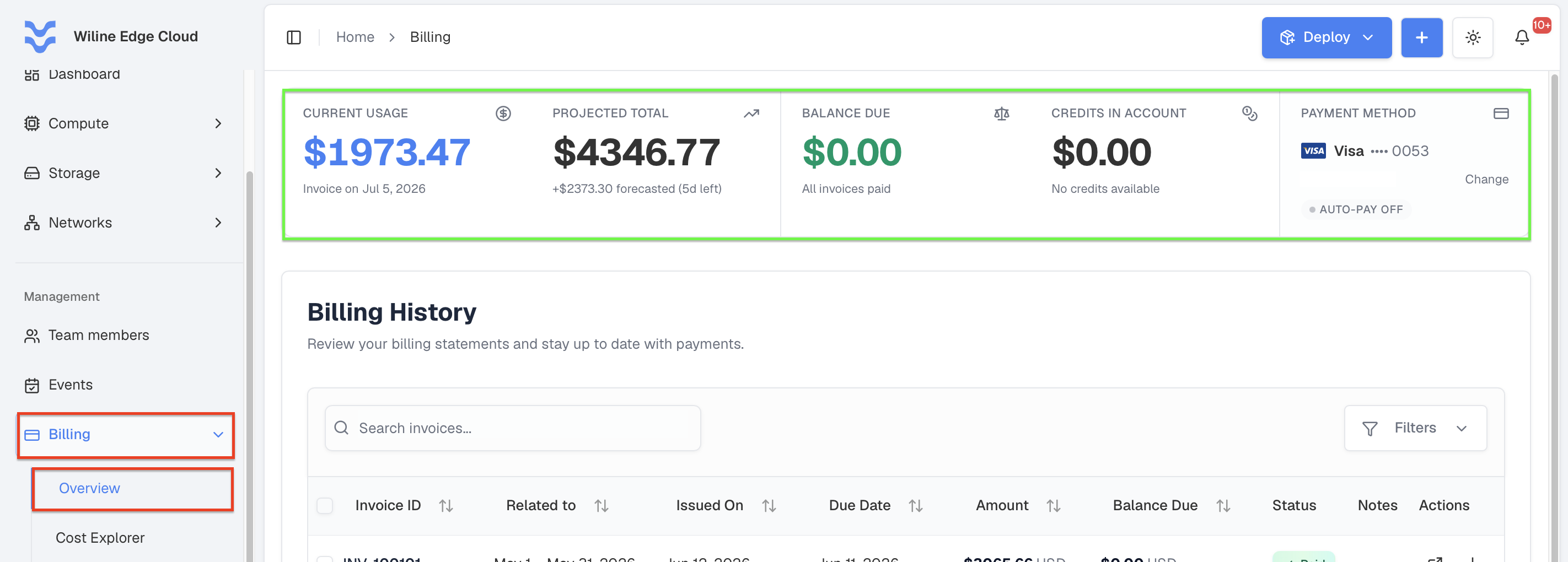
Figure 1: Billing overview dashboard with usage, balance, and payment status.
Current Usage
Displays the amount accumulated in the current billing cycle.
Example:
$1,973.47- “Invoice on Jul 5, 2026”
Projected Total
Estimates your expected total cost by the end of the billing period.
Example:
$4,346.77total forecast- “+$2,373.30 forecasted (5d left)”
This helps you anticipate upcoming charges.
Balance Due
Shows any outstanding amount that needs to be paid.
Example:
$0.00- “All invoices paid”
Credits in Account
Shows the account credit available to offset upcoming invoices — for example, from a redeemed coupon. Credits are applied automatically.
Example:
$0.00- “No credits available”
See Coupons & Credits.
Payment Method
Displays your current payment method, its Auto-Pay status, and allows you to update it.
Example:
Visa •••• 0053— the saved card (brand, last 4 digits, and cardholder name)- Auto-Pay Off — invoices are not charged automatically
If no payment method is configured, you will see:
- “No payment method saved”
To add or update a payment method:
- Click Change
- You will be redirected to the Payment Information page
From there, you can add or update your payment method.
For a step-by-step guide, visit the Payment Information section.
Billing History
Below the dashboard, you will find the Billing History table, which lists all invoices.
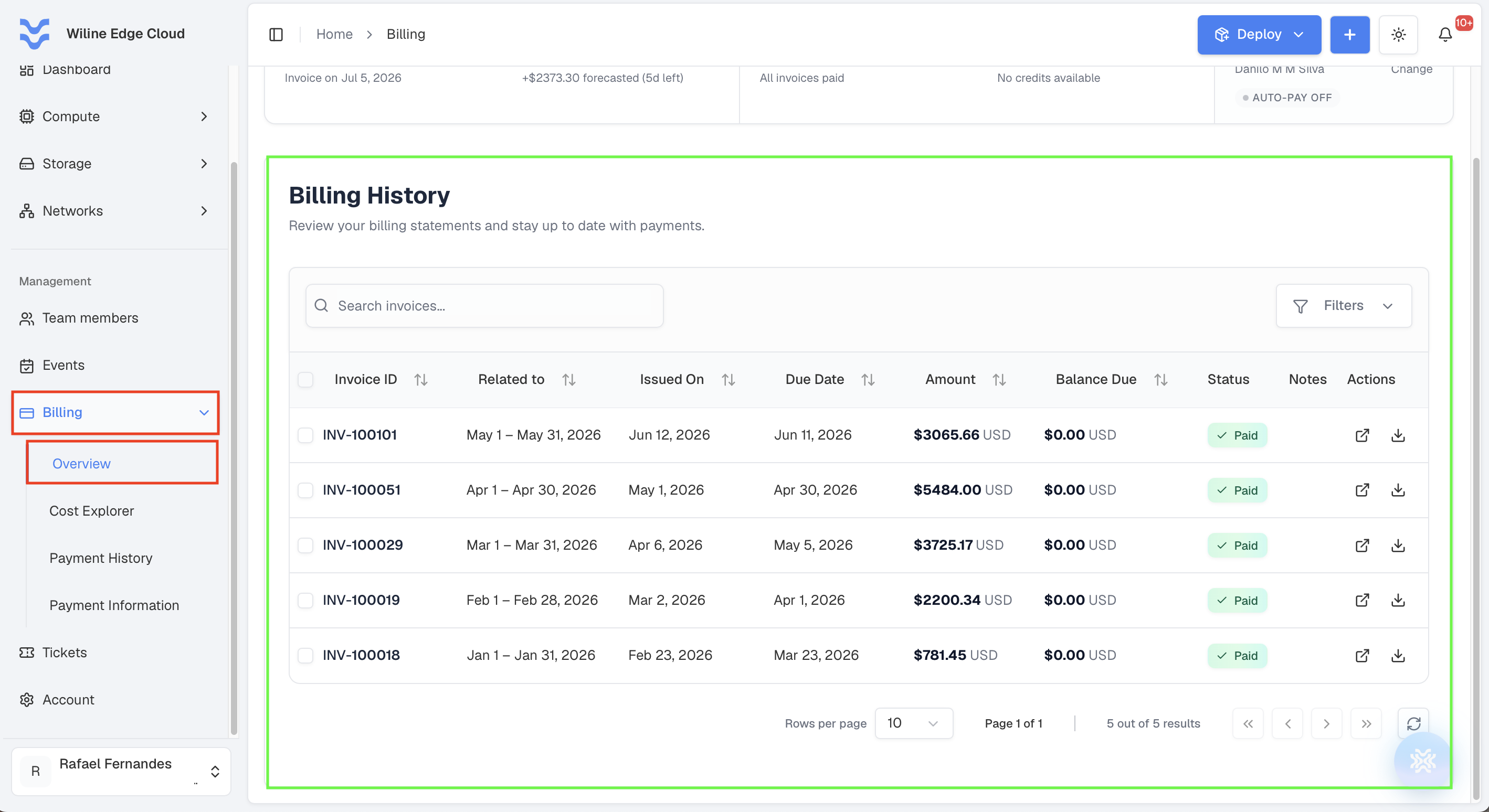
Figure 2: Billing history table with invoice details.
The table includes:
-
Invoice ID
-
Related To — the billing period the invoice covers (e.g.,
May 1 – May 31, 2026) -
Issued On — the date the invoice was issued
-
Due Date — when payment is due
-
Amount — total charged
-
Balance Due — remaining amount
-
Status — e.g., Paid, Pending
-
Notes — additional details
-
Actions — each invoice has two buttons:
- View Invoice Details — opens the invoice as a PDF preview, where you can also click Download PDF.
- Download Invoice PDF — downloads the PDF straight to your computer, without opening the preview.
The invoice preview is shown in Payment History.
Filters and columns
You can refine the Billing History table:
- Filters — filter invoices by status:
Ongoing,Paid,Pending, orOverdue. - Choose which columns to display — toggle columns on or off. The available columns are
Billing_Statement_ID,Billing_Period,Created_At,Billing_On_This_Date,Total_Amount,Balance_Due,Status,Notes, andActions.
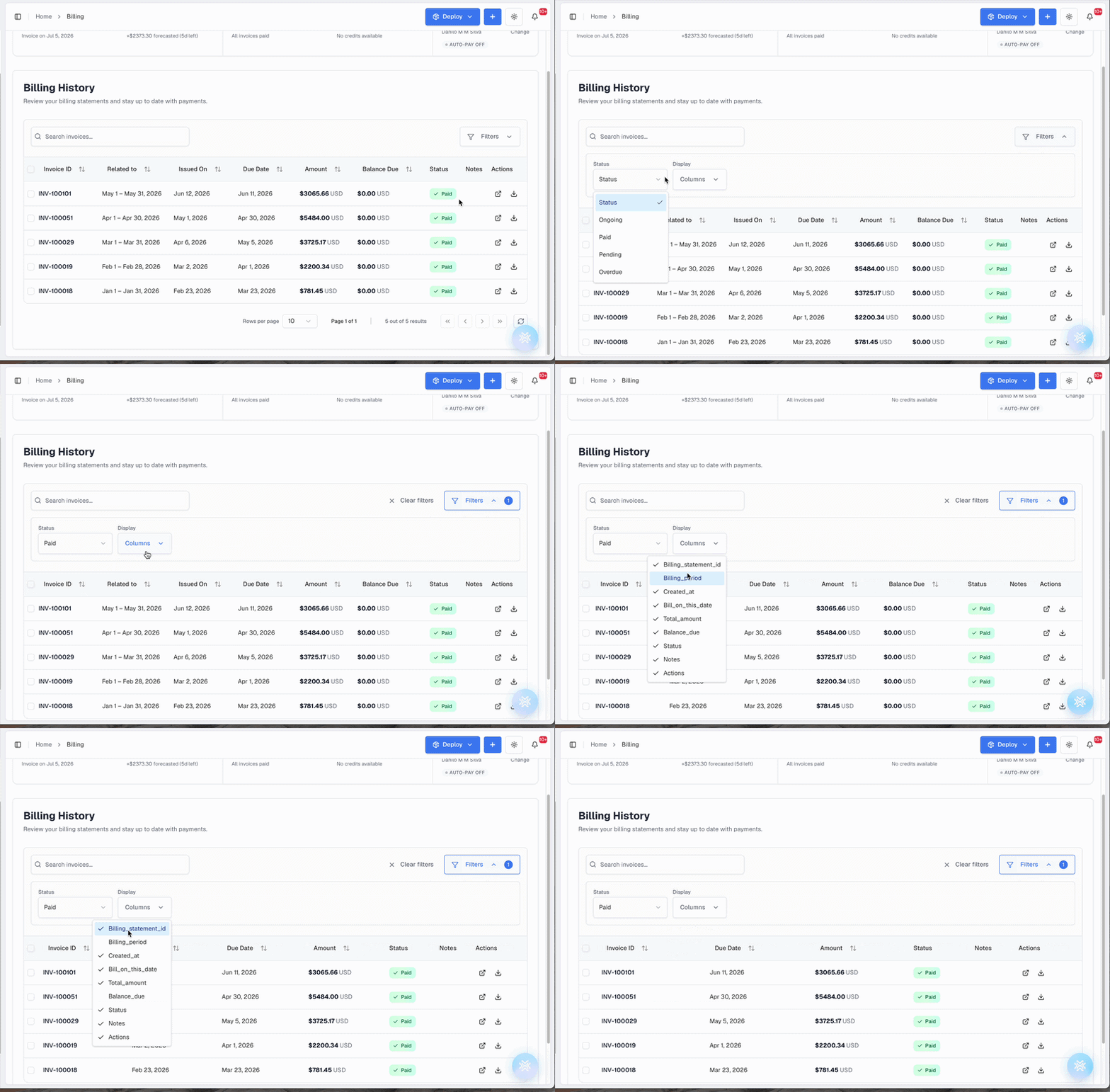
Example
A paid invoice row looks like:
- Invoice ID:
INV-100101 - Related To:
May 1 – May 31, 2026 - Issued On:
Jun 12, 2026 - Due Date:
Jun 11, 2026 - Amount:
$3,065.66 USD - Balance Due:
$0.00 USD - Status:
Paid
If no invoices are available yet:
- “No invoices found”
- “Invoices will appear here after your first billing cycle.”
Use this table to:
- Track payments
- Review past charges
- Monitor billing activity over time
Key Benefits
The Billing Overview allows you to:
- Maintain visibility into current and future costs
- Ensure payments are up to date
- Manage payment methods securely
- Access and review invoice history
Next Steps
- Add a payment method if none is configured
- Regularly review usage to avoid unexpected charges
- Check invoices after each billing cycle